The menu bar
Click the leaf beside the clock.

Status line. A green dot with "Watching" and the time of the last check means the agent is live. "Paused" means you paused it; mail waits and is handled on resume (Gmail holds the cursor for about a week). "Stalled" means the agent is running but has not ticked in a while; the … menu has Reinstall agent. A red "Gmail needs re-authorization" banner has a Fix now button that opens the browser sign-in; watching is on hold until then.
Recent activity. Drafts written, follow-ups drafted, tickets filed, resolutions, docs pages, with the time. Each row opens the thread in Gmail or the file in Finder. See everything in InboxMinder opens the window.
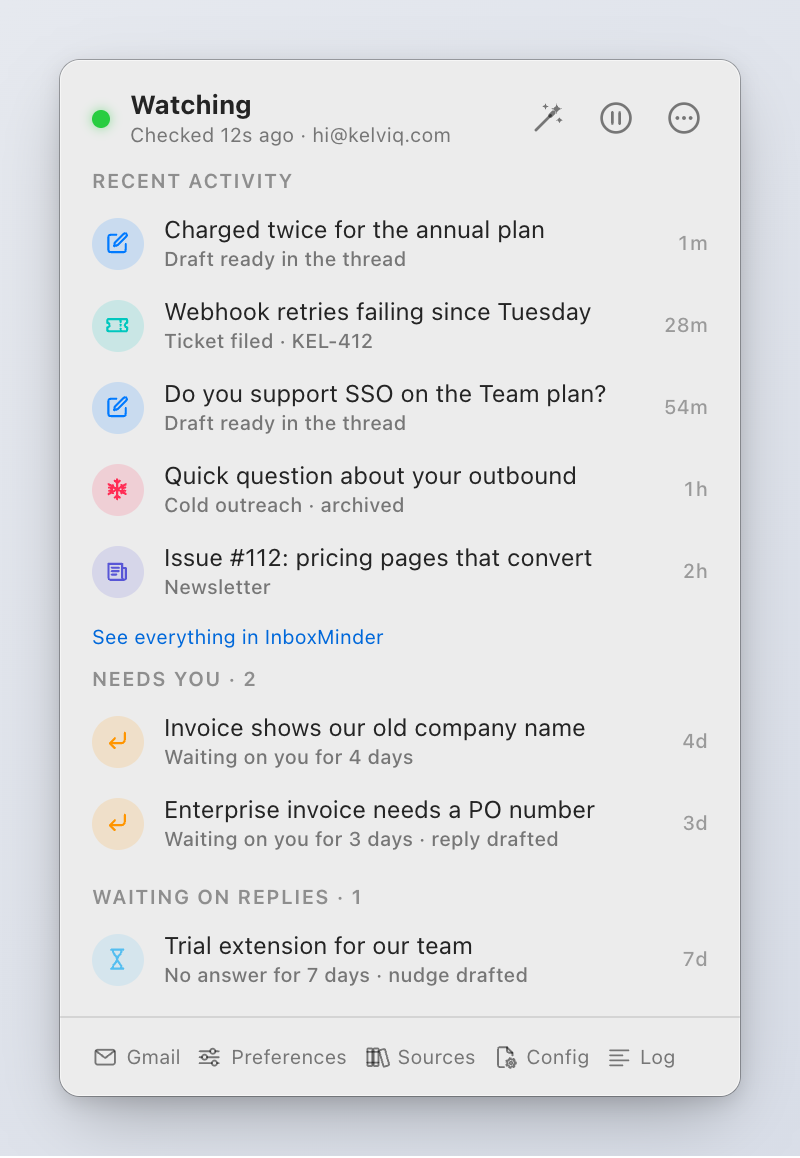
Needs you. Threads where they replied and you have not, quiet for more than two days, with a note when a reply is already drafted.
Waiting on replies. Threads where you replied and they have not, with a dot when a follow-up draft is waiting. Both queues come from state the agent already tracks; Gmail itself cannot count these, since it counts labels only for unread mail.
Footer. Gmail (opens the mailbox), Preferences, Sources (the sources editor), Config (opens config.toml), Log (opens watch.log).
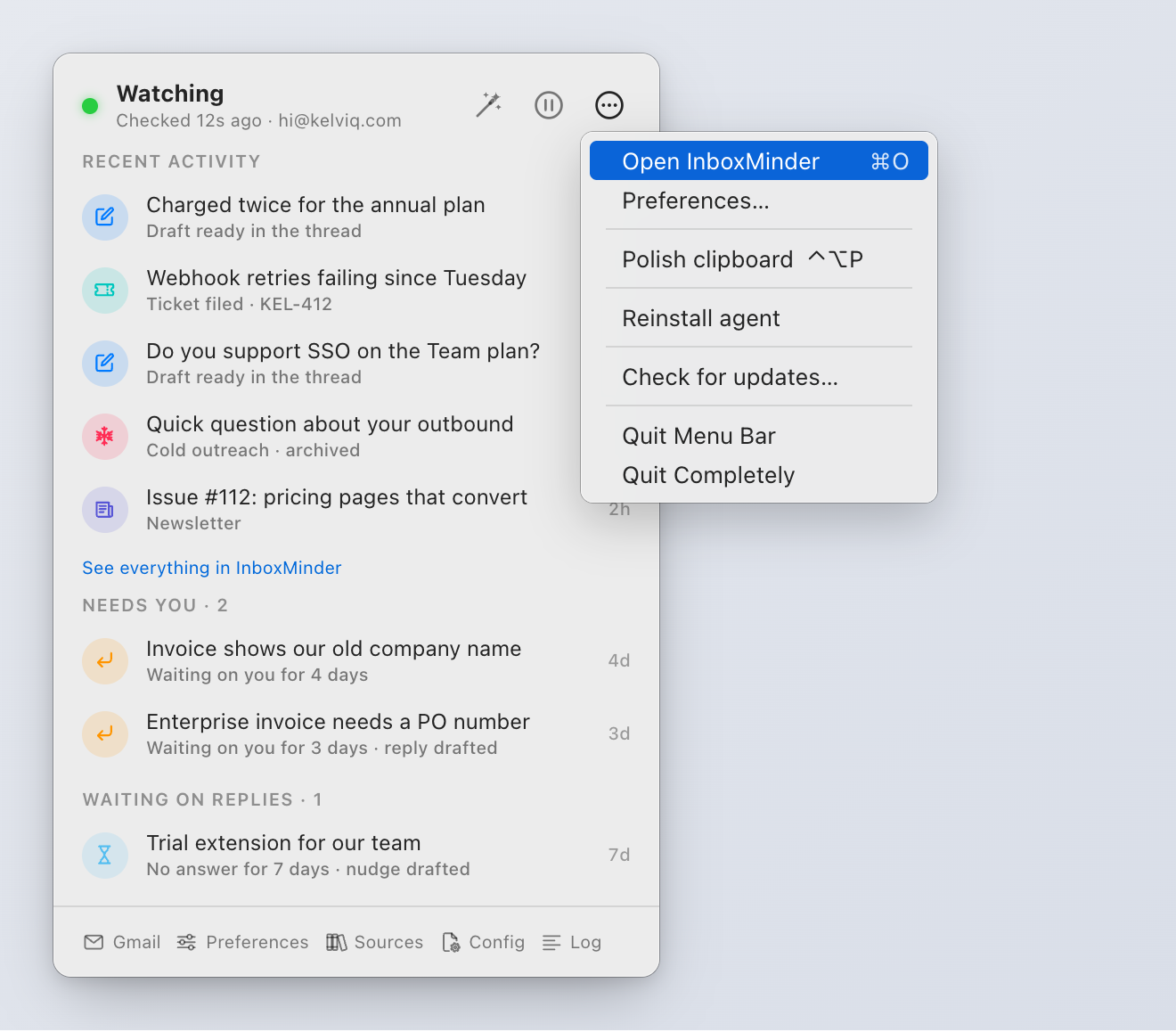
The … menu. Open InboxMinder (⌘O), Preferences…, Polish clipboard (⌃⌥P), Pause or Resume, Reinstall agent, Check for updates…, Quit Menu Bar (the agent keeps running), Quit Completely (stops the agent too).
An Unlock button appears while no license is active. Version X is available appears when the daily check finds a newer release; Update opens the signed Sparkle updater, which asks before installing.
With more than one profile, the popover shows one section per profile.
The InboxMinder window
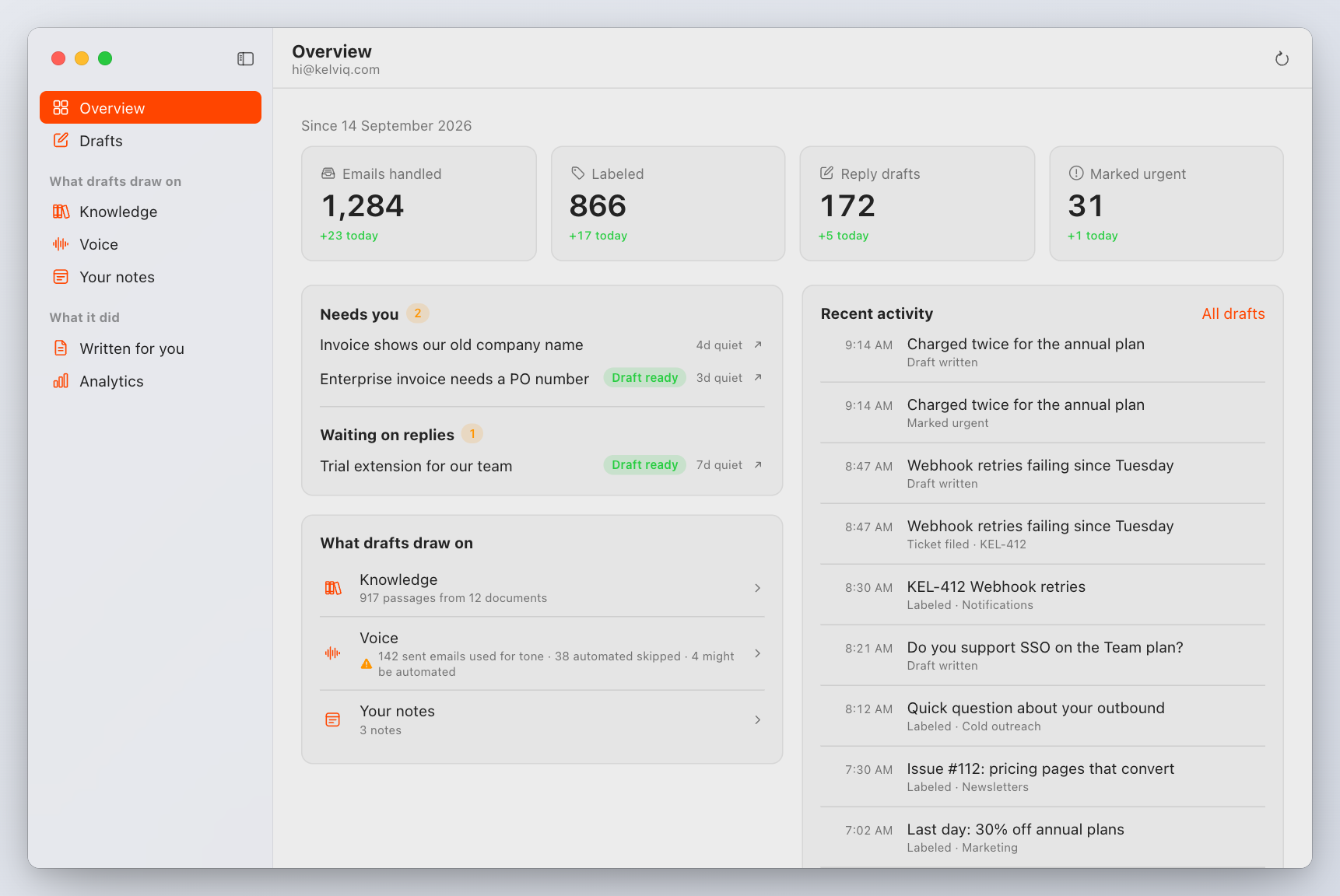
Open it with ⌘O from the menu bar or Open InboxMinder. Seven sections, ⌘1 to ⌘7, ⌘R refreshes.
| Section | What it shows |
|---|---|
| Overview | Emails handled, labeled, drafted and marked urgent, with today's share; who is waiting on you; what drafts draw on |
| Drafts | Every draft, newest first, and exactly what it drew on: knowledge passages ranked by relevance and the sent emails whose tone it copied |
| Knowledge | Ask a question and see what a draft would find; browse every indexed passage by document; Stop using in drafts excludes a document and keeps it excluded through re-indexing |
| Voice | The sent emails used as tone examples. Automated mail (auto-replies, bulk sends, mail merges, calendar invites, template copies) is skipped with its reason; Use it anyway brings one back for good. Mail that only looks automated is marked "Possibly automated" and stays in use |
| Your notes | Markdown notes drafts can use. A saved note is indexed at once |
| Written for you | Docs pages, suggested canonical answers and Linear tickets the app produced. None is published or committed on its own |
| Analytics | Day-by-day counts and mail by category. Draft outcomes read "not measured" until edit-learning records them |
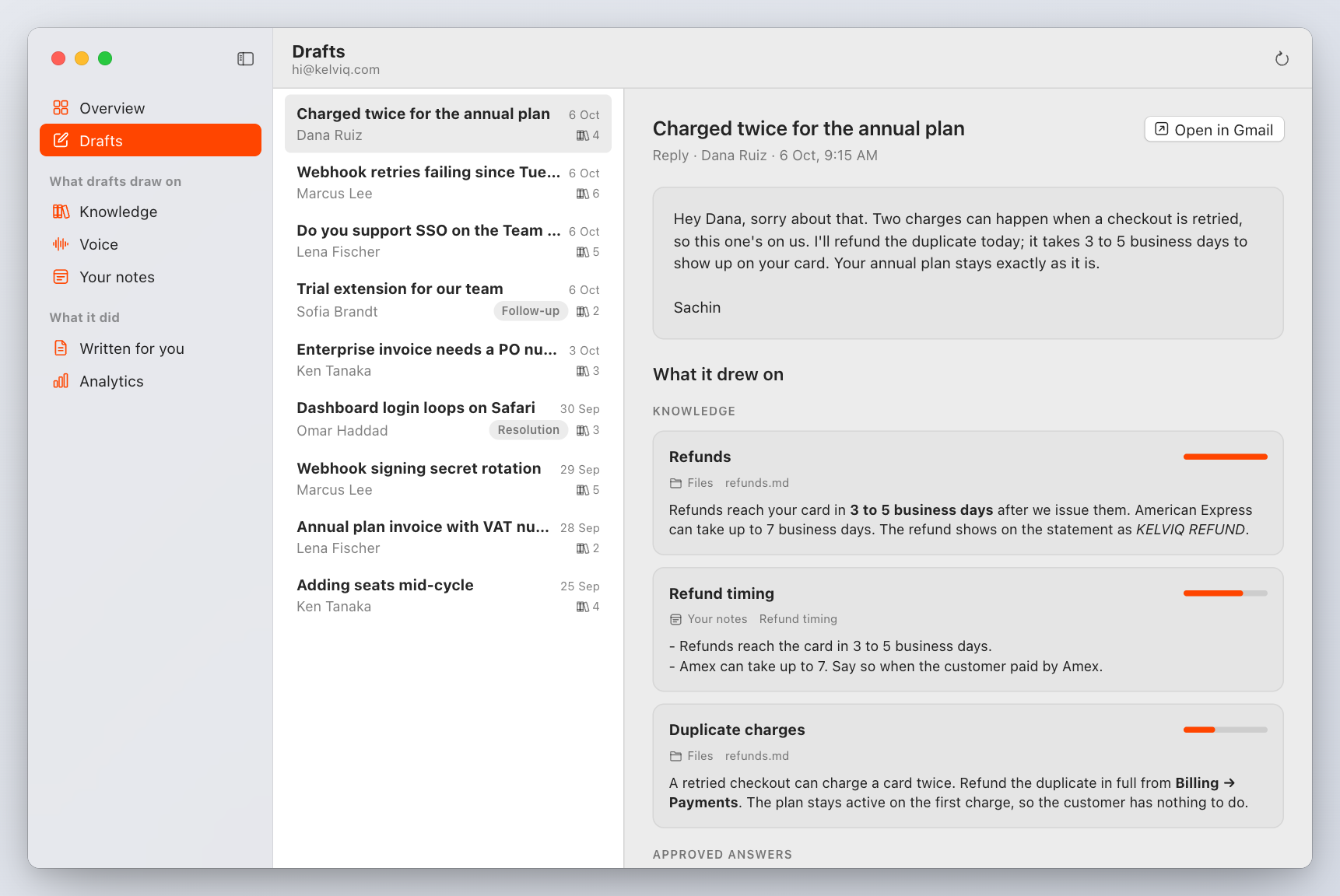
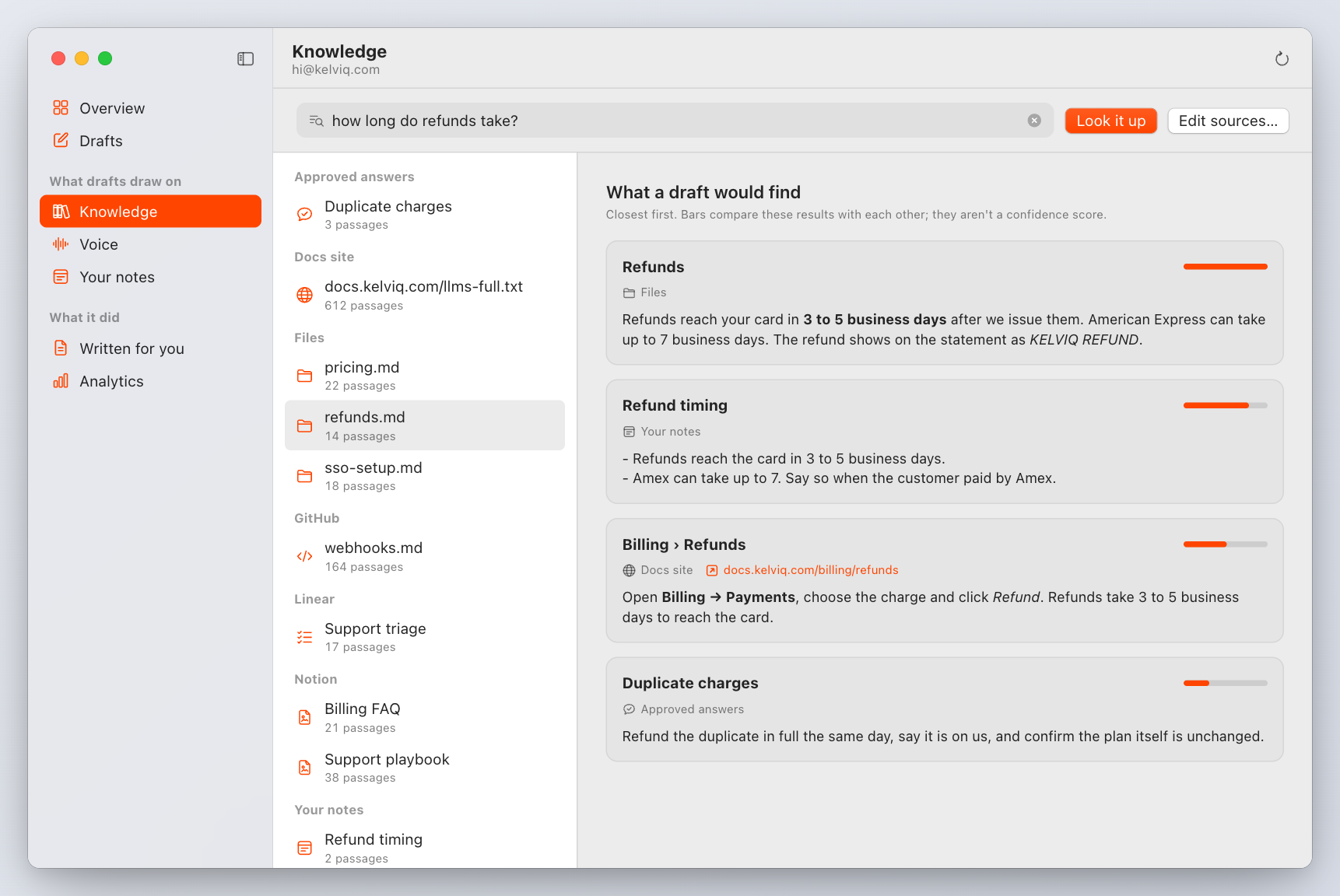
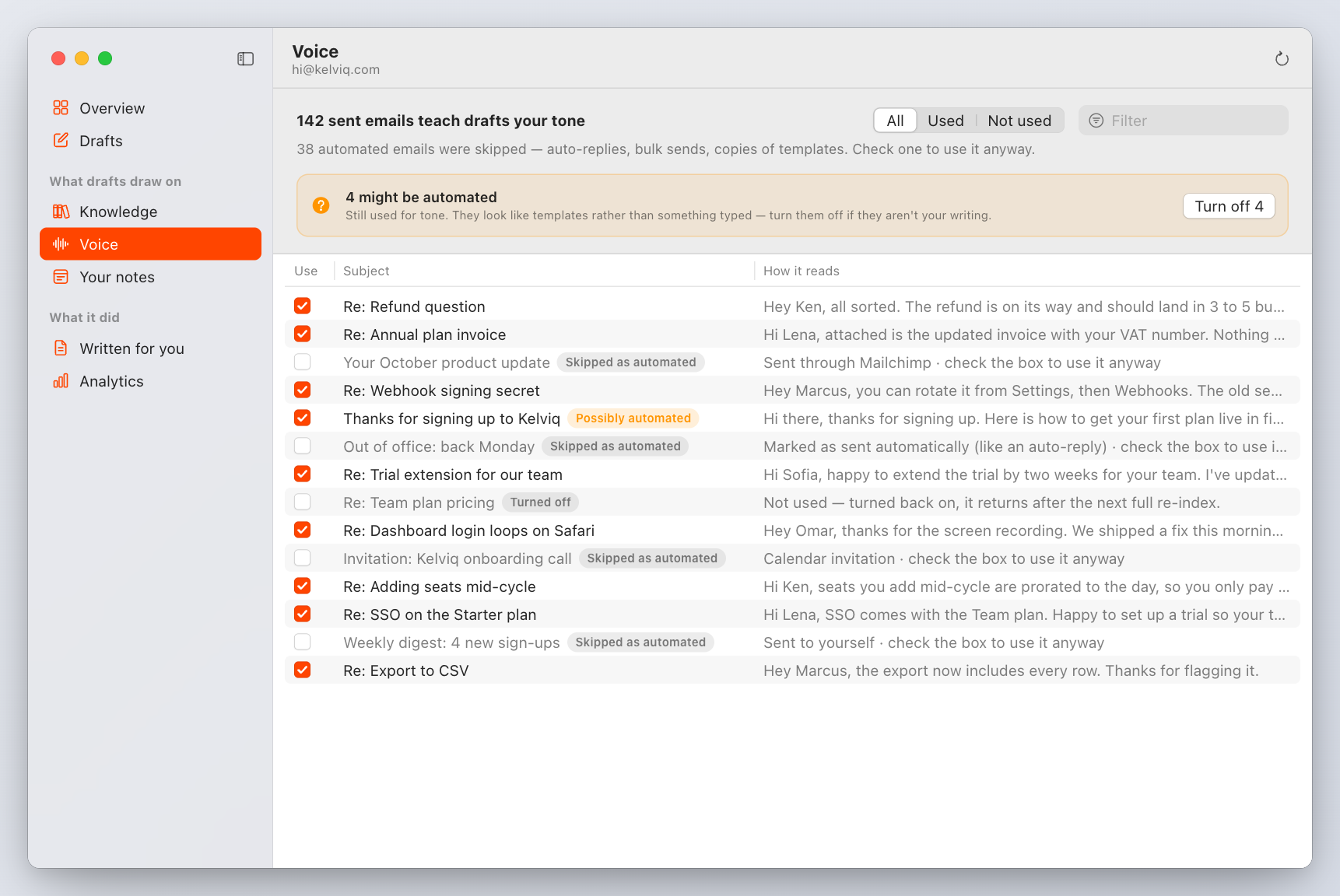
The window reads everything through the CLI's --json commands, so what you see is exactly what inboxminder drafts list, knowledge docs, voice list, notes list, written list and stats print.
Preferences
Preferences… from the menu bar, or ⌘, while the app is active. Six tabs. Changes are written to config.toml through a validated funnel that preserves keys the window does not manage. The running agent keeps its old values until it restarts; the save confirmation offers Apply and Restart, or do it later with Reinstall agent. The profile being edited is named at the bottom.
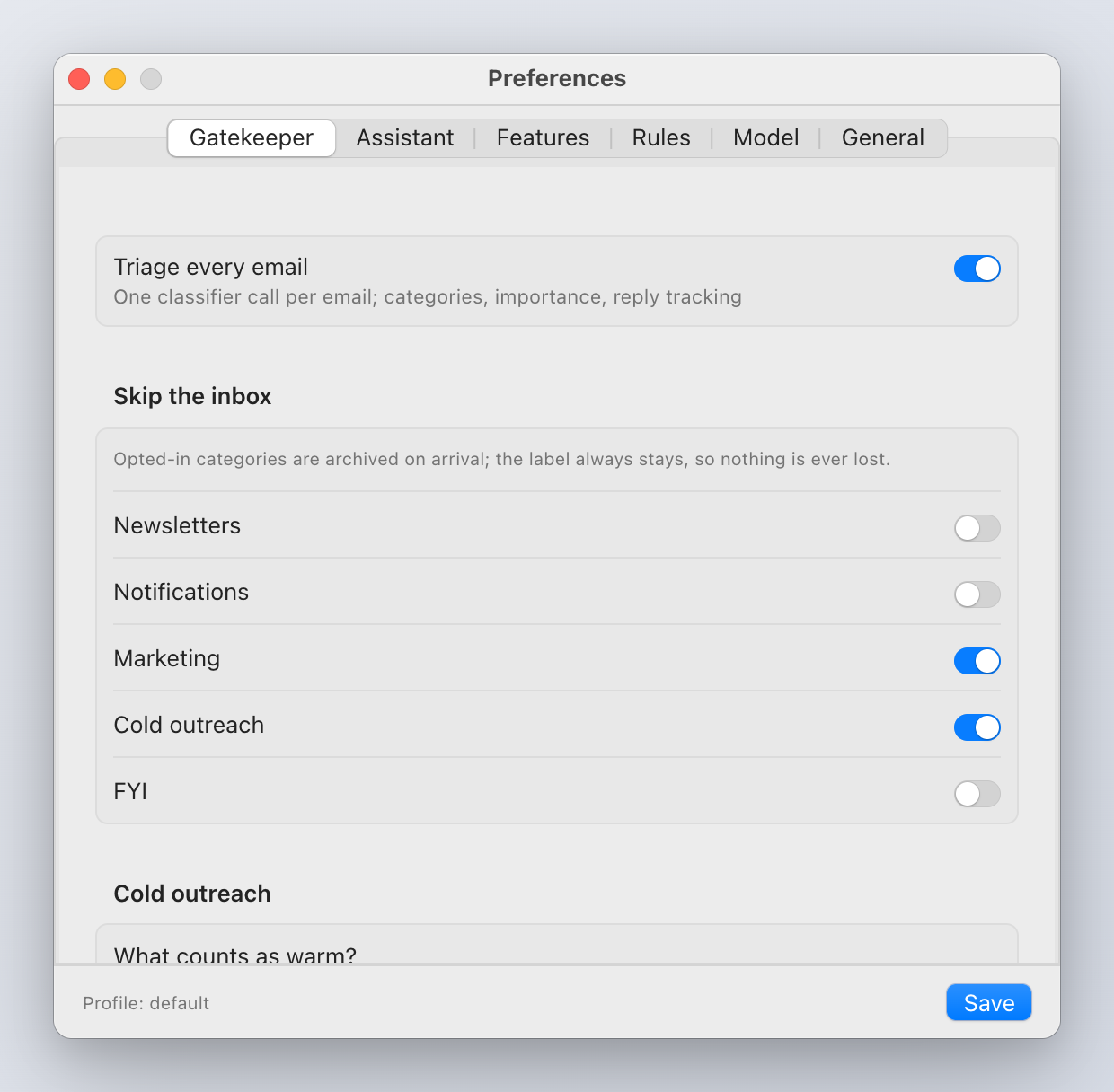
Gatekeeper
- Triage every email: the classifier on or off.
- Skip the inbox: per category (Newsletter, Notification, Marketing, Cold Outreach, FYI), archive the email as well as labeling it. Never deletes, never marks spam, never removes a live conversation (anyone you have written to, or any thread the app tracks).
- Cold outreach: What counts as warm? Free text added to the cold outreach criteria ("intros from our investors are warm").
- Label names: the name for each category and for urgent mail. A "/" nests labels in Gmail's sidebar (
Mail/Newsletter). Names that collide with Gmail's system labels (Important, Starred, …) are rejected, which is why urgent mail is labeled Urgent. - License: the state, expiry, Activate with a key field, Get a license…, Deactivate This Mac.
Assistant
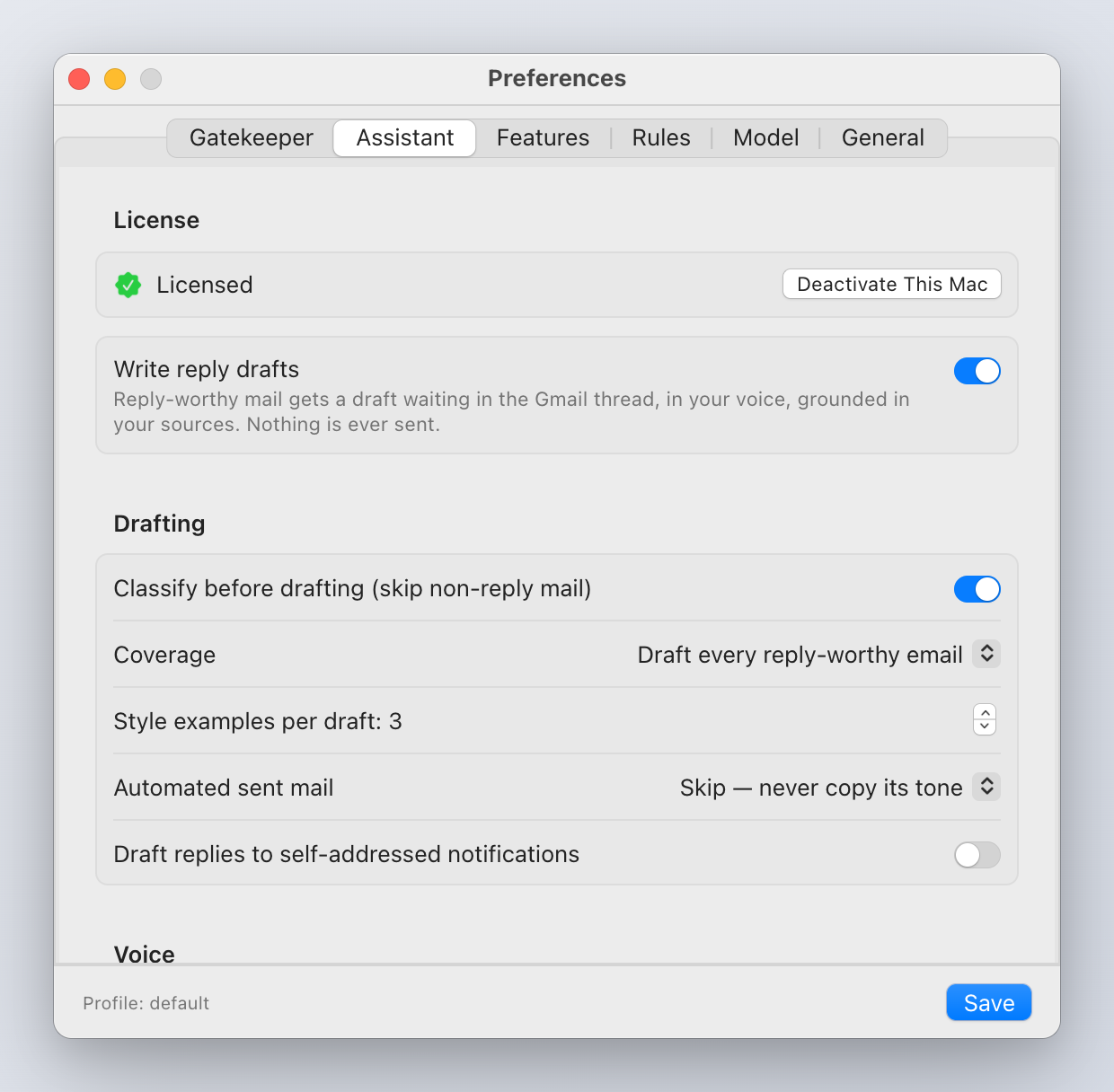
- Write reply drafts: the assistant on or off. Off keeps triage only.
- Drafting: Coverage (draft every reply-worthy email, or skip when the classifier is explicitly unsure); what to do with automated sent mail in your voice corpus (skip, show in Voice but still use, or don't check).
- Voice: Signature appended to every draft after generation; Writing style in free text ("short, warm, no exclamation marks"); Polish strength (grammar, spelling and my tone, or grammar and spelling only); Learn from my edits, which pairs each draft with the reply you actually sent and keeps meaningful edits as a local corrections corpus.
- Draft housekeeping: delete the app's unsent draft when you reply from elsewhere; sweep unsent drafts older than N days. Only drafts the app itself created are ever touched.
Features
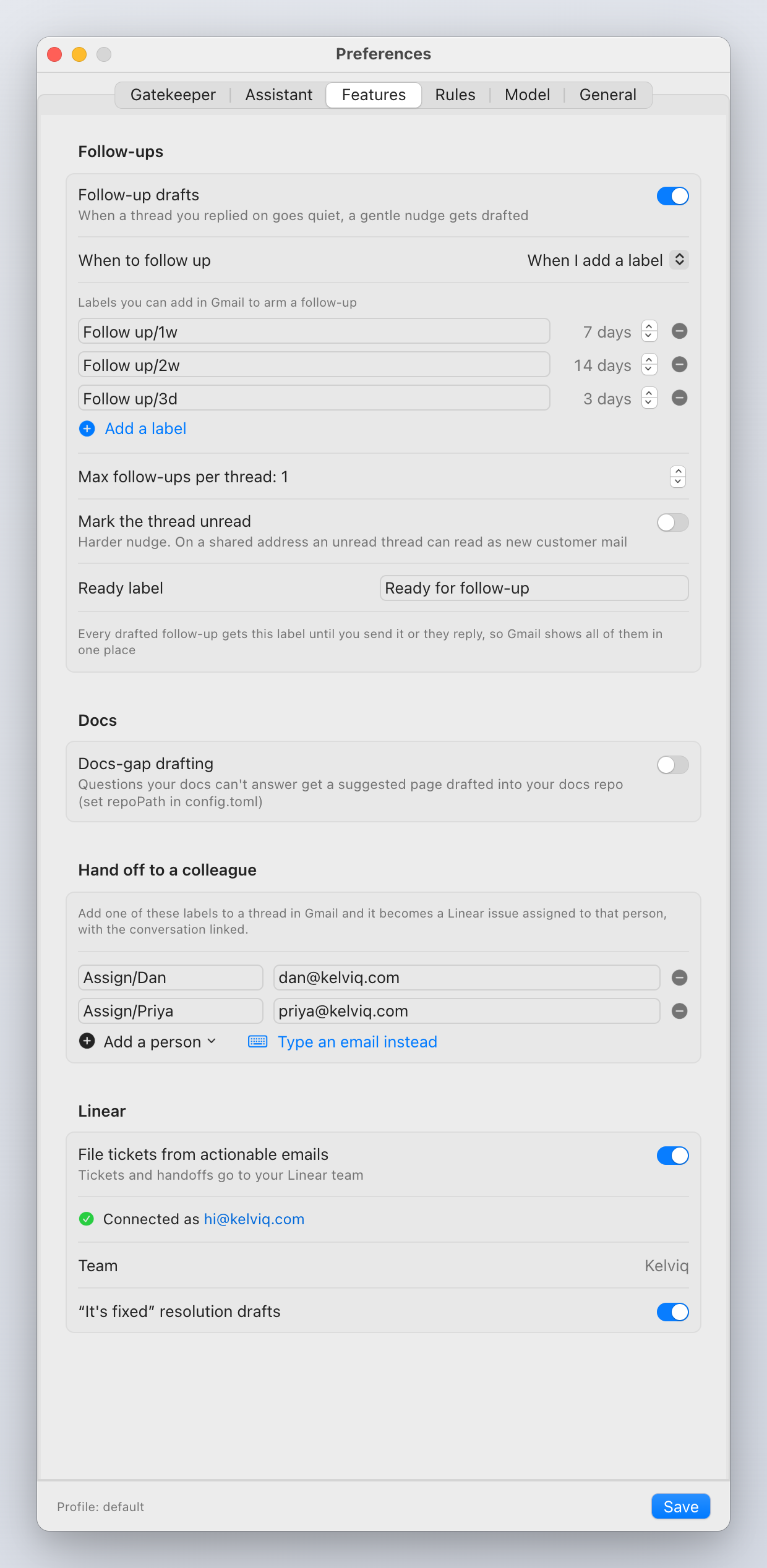
- Follow-ups: on or off; When to follow up (when I add a label, every thread I reply to, or both); interval in days for time mode; how many nudges; the "ready" label name; Mark the thread unread; and the table of labels you can add in Gmail to arm a follow-up, each with its quiet days. Follow-ups.
- Docs: docs-gap drafting into a local docs repository, with Instructions for drafted pages. Knowledge sources.
- Hand off to a colleague: the Assign labels. Add a person lists your Linear workspace; their email comes from Linear. Linear.
- Linear: paste a personal API key and Connect; the team is picked for you if there is one, otherwise choose it; File tickets from actionable emails on or off.
Rules
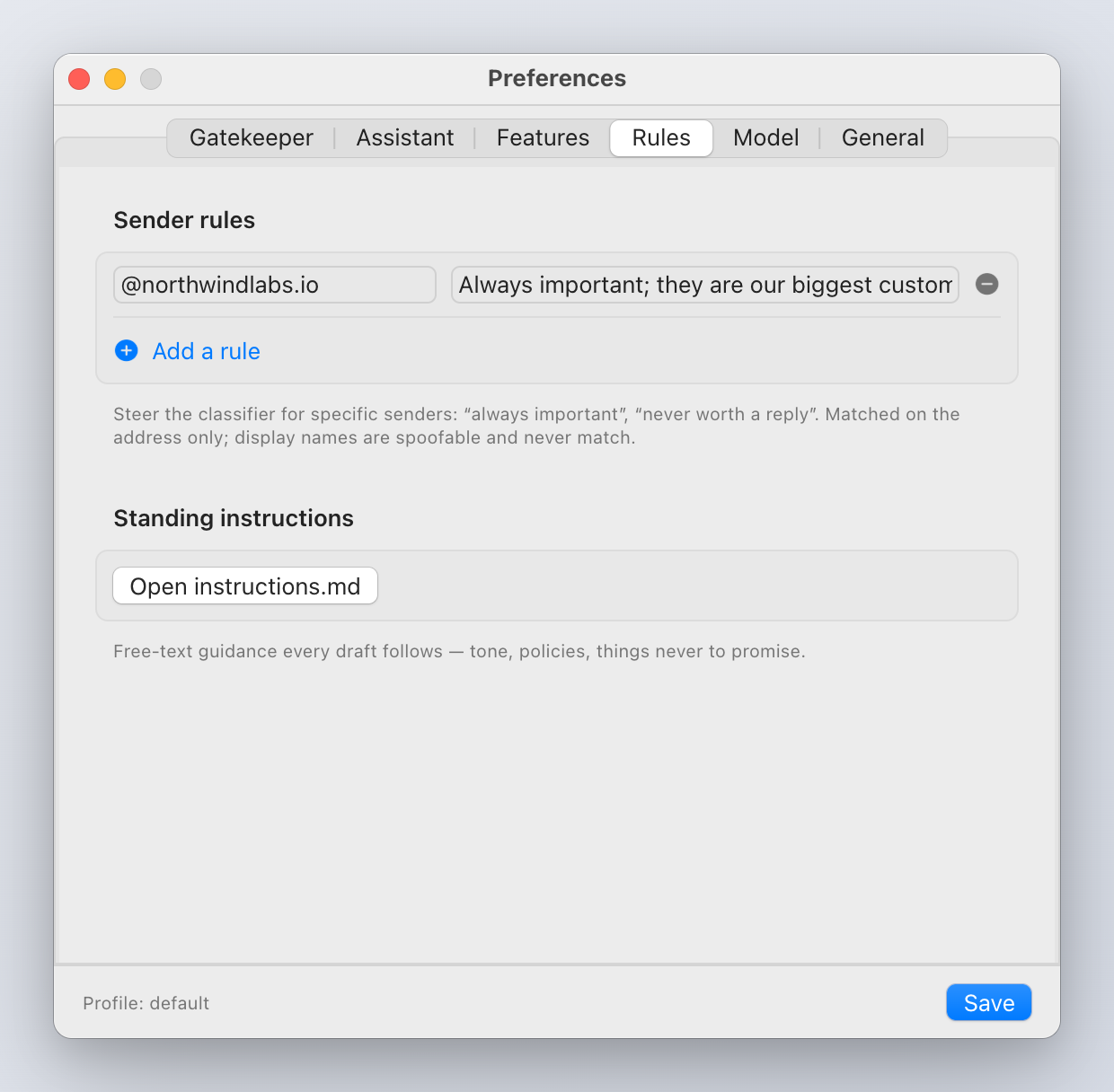
- Sender rules: a match on the sender's address (
@acme.com,dan@) and a note ("Always important.", "Be brief; never quote prices."). Rules steer the classifier and the draft; they never act. Display names never match, since anyone can set one. - Standing instructions: Open instructions.md and Show Folder in Finder. Free text added to every draft prompt.
Model
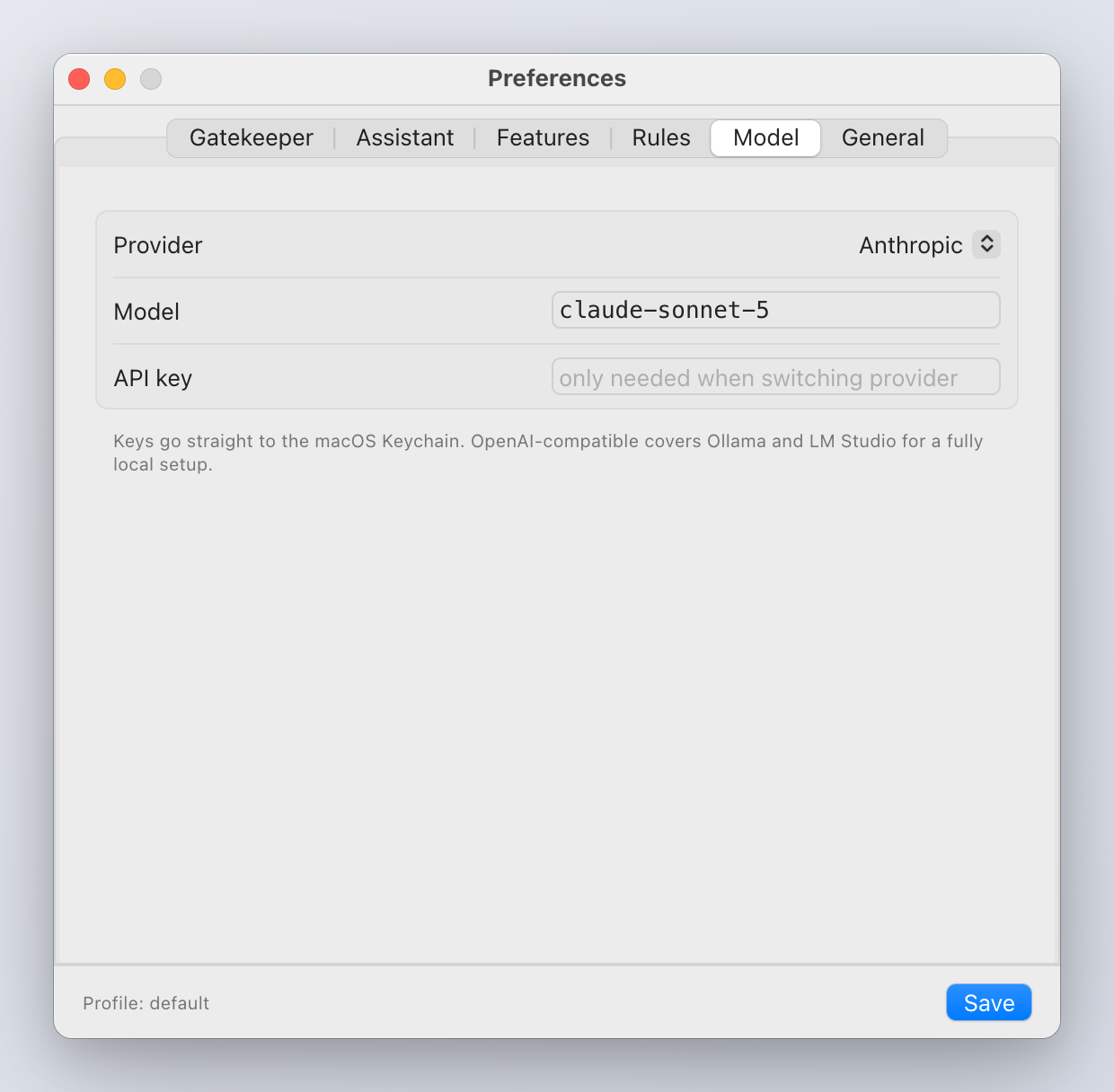
Provider, model id, base URL for OpenAI-compatible servers, and an API key field that is only needed when switching provider. Changing the embedding provider or model is a hand edit in config.toml followed by inboxminder index --full, because every stored vector depends on it.
General
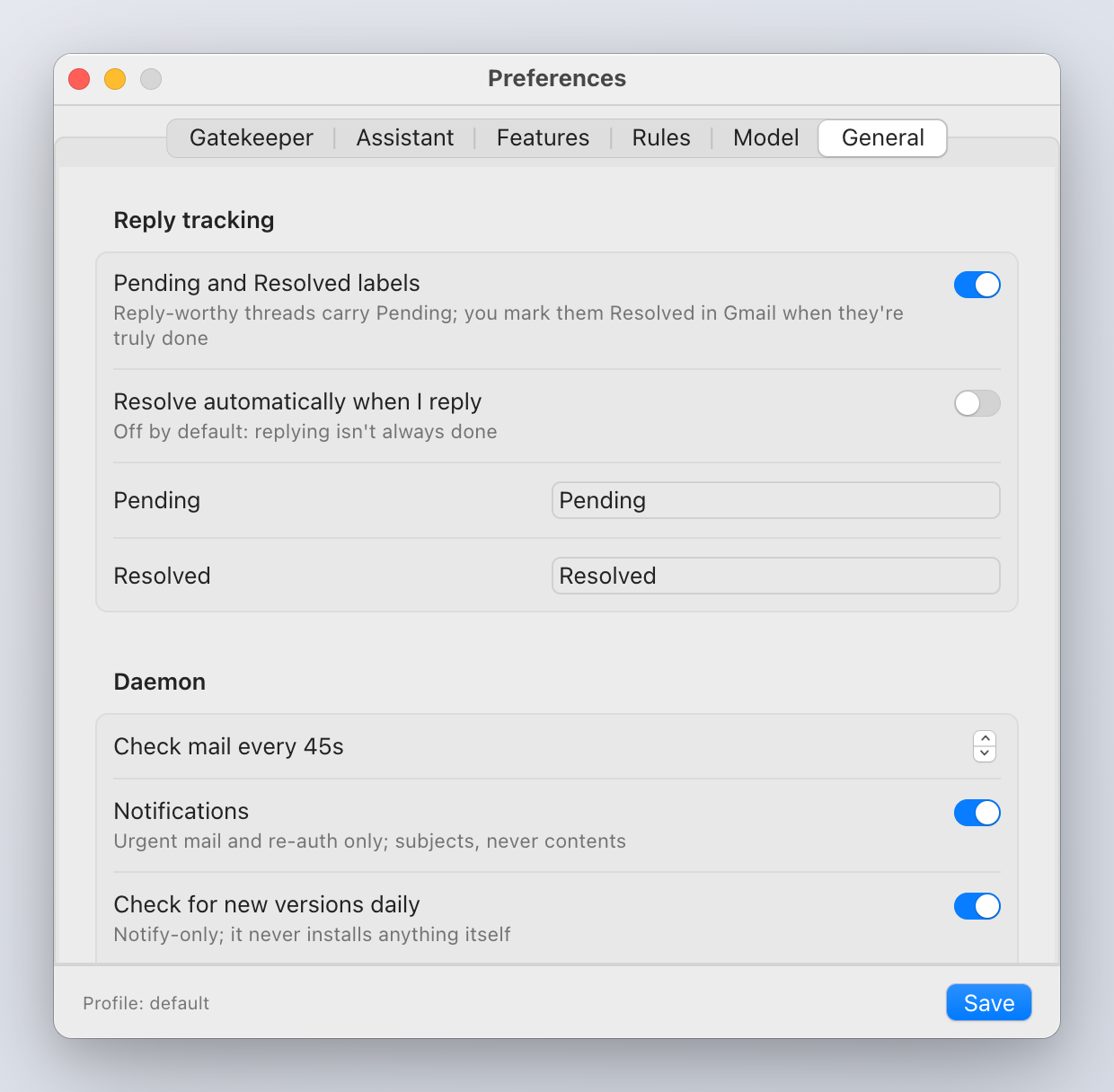
- Reply tracking: Pending and Resolved labels on or off; Resolve automatically when I reply (off by default: replying is not always done).
- Daemon: poll interval; Notifications (subjects only); Check for new versions daily (notify-only, never installs anything itself).
- Skip senders: addresses or fragments ignored entirely, with no classifier call. Matched on the address, never the display name.
The sources editor
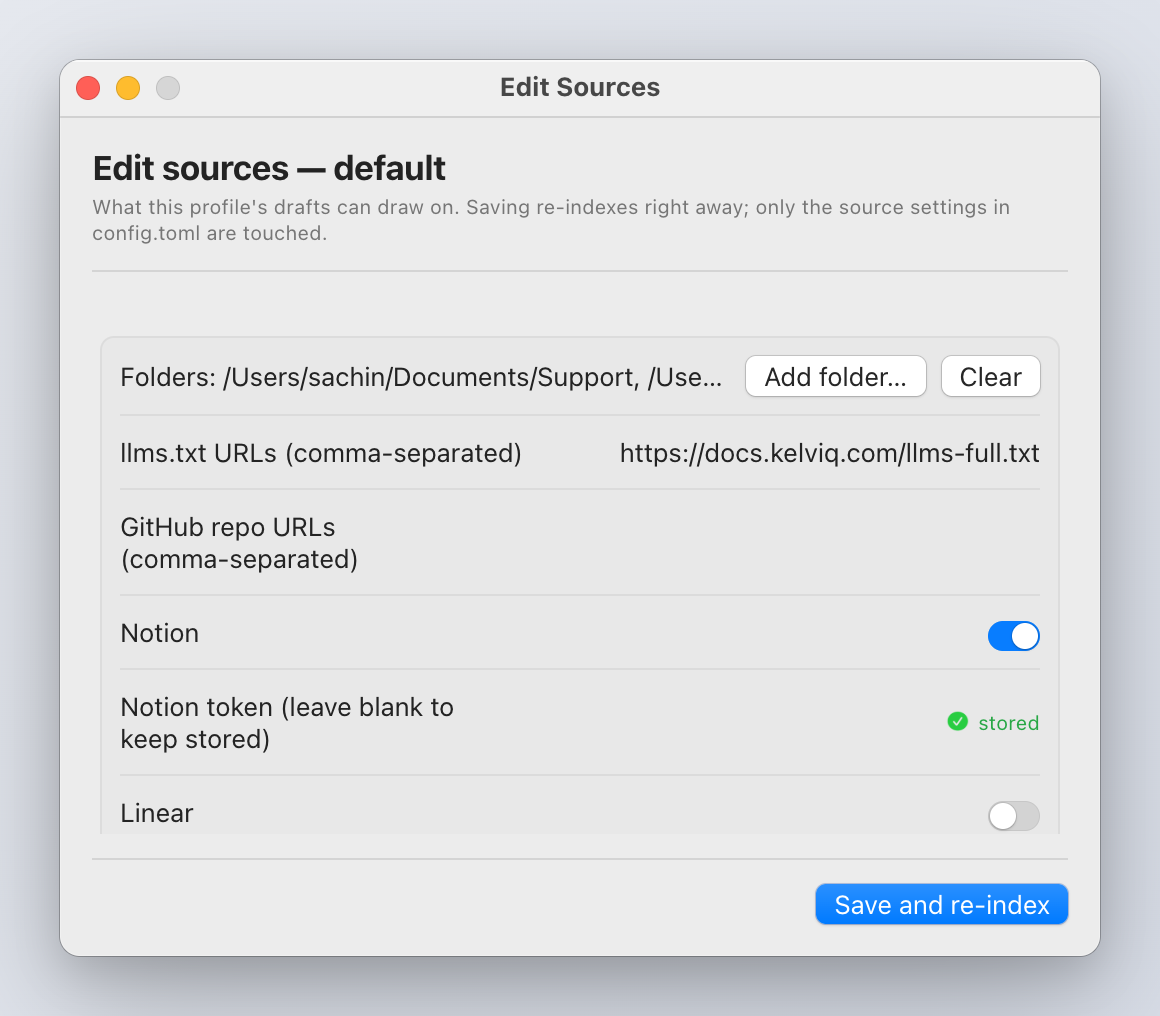
Sources in the popover footer. Per profile: folders to index (add, clear), Notion, Linear and Slack toggles, Slack channel ids, and a Store button for each connector's token (it goes to the Keychain via the CLI). Save and re-index writes the connectors section of config.toml and starts an index run. GitHub repositories and llms.txt URLs are edited in config.toml directly; see Knowledge sources.
Updates
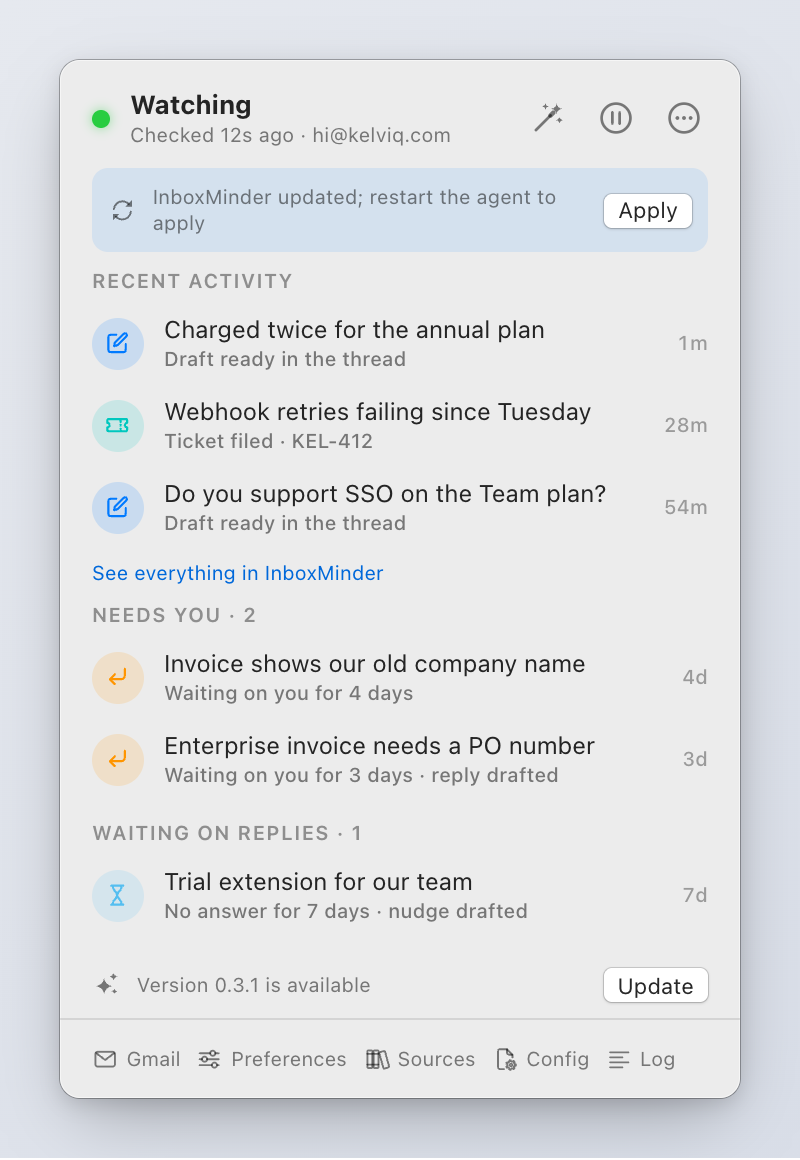
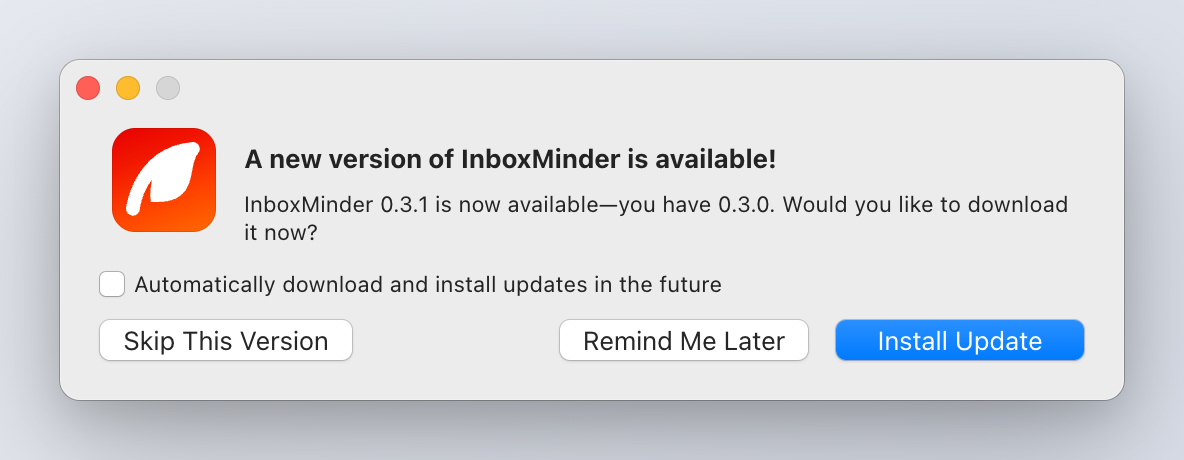
The agent checks the release feed once a day and the menu bar says when a newer version exists. The app updates itself through Sparkle: signed, consent-based, never silent. Check for updates… in the … menu runs the check now. After an update, the popover says "InboxMinder updated; restart the agent to apply" with an Apply button, so the agent runs the new code.
Dev builds
A build made with make app has no bundled runtime. The wizard cannot drive anything and shows the terminal path instead; make install-app produces the real thing.