Connect
Preferences → Features → Linear: paste a personal API key and click Connect. The team is picked for you when there is one; otherwise choose it from the list. The key goes to the Keychain through the CLI. From the terminal:
inboxminder set-key linear
inboxminder linear status      # connected, and as whom
inboxminder linear teams
Then set tickets.teamId or pick the team in Preferences, and turn on File tickets from actionable emails (tickets.enabled = true), which also enables hand-offs and resolution drafts.
Hand off to a colleague
Under Hand off to a colleague, click Add a person: the menu lists your Linear workspace, their email comes from Linear, and a label name is proposed. You never type an address or an id. Bots, guests and deactivated accounts are not offered. In TOML:
[tickets.assignLabels]
"Assign/Priya" = "priya@example.com"
"Assign/Dan"   = "dan@example.com"
Add one of those labels to a thread in Gmail, from your Mac or your phone, and within a scan it becomes a Linear issue assigned to that person, in the team's Triage inbox, titled with the subject and carrying the sender, the date, a link back to the live Gmail thread, and a short summary of the exchange. The menu bar's activity shows "Ticket filed" with the issue key.
A human names the assignee, never the classifier. Routing a thread to the wrong person is worse than not routing it, and only you know who owns which customer. One issue per thread. If the address matches no Linear account the issue is still created, with the intended assignee named in the description.
Mapping a label you already use is safe: on first scan, every thread already carrying it is recorded and left alone, so a Sachin label sitting on 90 old threads does not file 90 tickets. Up to 16 assign labels.
Tickets from actionable emails
With tickets.enabled, an email the classifier judges to be a bug report or feature request becomes a Linear issue in Triage posture: created stateless so it lands in the team's Triage inbox, never assigned, one topic per ticket (a thread that already has a ticket never gets a second, and the same topic from two emails is deduplicated). The email's content goes into the description by design: it is your own workspace, and the team needs the context.
[tickets.assigneeSuggestions] maps a topic label to a name that is written into the description as a suggestion line a human acts on during triage. It is never an assignment.
While a thread has a ticket it is tracked as ticketed: no follow-up nudges the customer while engineering has it, and replying from your side keeps that state.
"It's fixed" replies
tickets.resolutionDrafts (default on) polls linked tickets every checkMinutes (default 30), read-only. When one is completed, a resolution draft lands in the original Gmail thread telling the customer it is fixed, for you to review and send. A canceled ticket closes quietly; that reply is yours to write.
Seeing what was filed
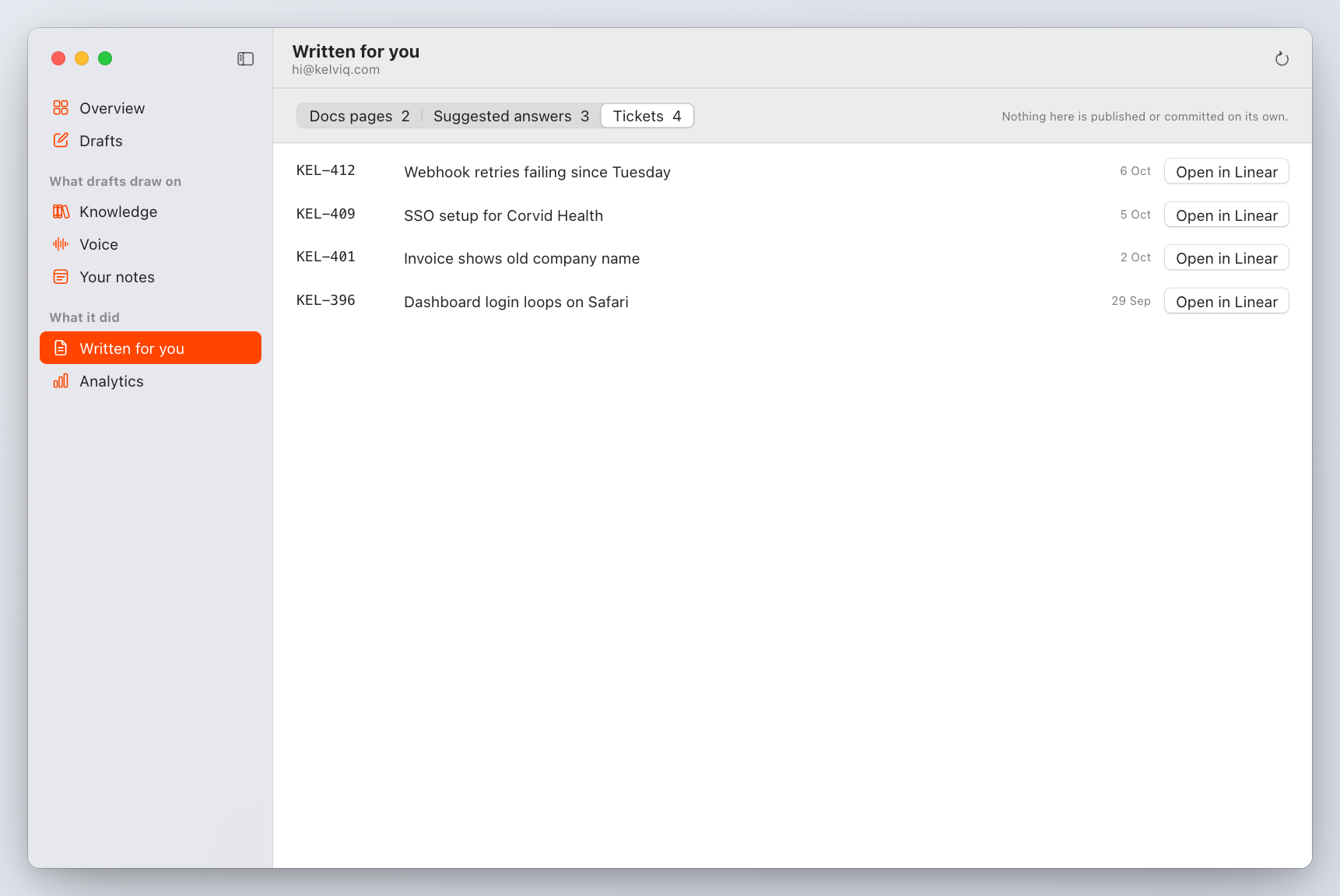
Written for you in the InboxMinder window and inboxminder written list show every ticket with its key and the thread it came from. inboxminder draft <messageId> prints the ticket verdict for one email without filing anything.