The log
Click Log in the menu bar footer, or:
tail -n 100 ~/.inboxminder/logs/watch.log
Each line is JSON with a level, a time, a message and context (subject, sender, labels, provider error). Bodies are never logged, so it is safe to skim and safe to send. Crashes at startup land in watch.err.log next to it.
inboxminder agent status
says whether the agent is installed, running, paused, and when it last ticked. (How to run the CLI: Command line.)
The usual snags
"Gmail needs re-authorization" in the menu bar. Click Fix now; the browser sign-in takes thirty seconds. If it happens every week, your Google OAuth app is "External" and still in Testing status, where Google expires tokens after seven days. Publish it to Production in the Google Cloud console (the Gmail guide shows where) and sign in once more.
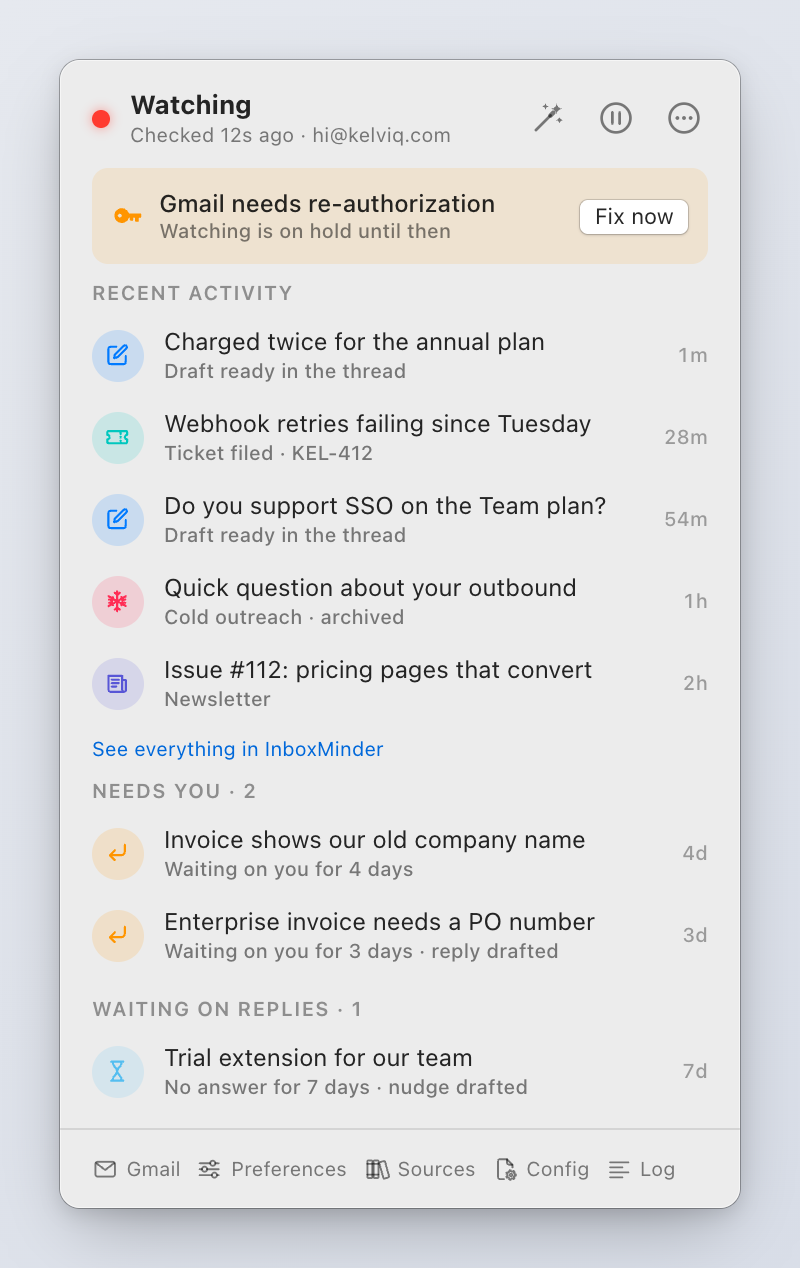
Labels appear, drafts do not. Drafts need an active license and a working provider key. Check Preferences → Gatekeeper → License, then Preferences → Model. A key with no credit, a wrong model id or a provider outage shows as a provider error in the log; the email waits in the queue and is drafted when the provider is back. Also check that Write reply drafts is on in Preferences → Assistant.
No labels either. Is the agent running and not paused? Is the Gmail sign-in current? Did the email come from a skipSenders address? Run inboxminder classify <messageId> on it to see the verdict directly.
Drafts do not sound like me. Voice comes from your sent mail, indexed 200 messages per run, so on a large mailbox it fills over a few days. The Voice section shows what has been read so far. Until then drafts lean on your docs. A line in Writing style helps in the meantime.
Drafts open with my name or sign as the customer. Fixed in 0.2.3; if you still see it, update and run inboxminder index --source sent --full once so sent mail re-indexes with the quoted copies stripped.
It drafted something it should have left alone. Delete the draft in Gmail; the app never drafts the same message twice. Then tell it: a sender rule ("never draft for @vendor.com"), a line in instructions.md, or coverage = "confident-only".
A draft I sent disappeared. Versions before 0.2.3 could delete a sent reply that had been edited from the app's draft. Update. A Google Workspace admin can restore mail deleted in the last 25 days (Users, the mailbox, Restore data, Gmail).
The agent shows as stopped or stalled. Reinstall agent from the … menu, or inboxminder agent install. After an app update the popover asks you to do this so the agent runs the new code. If it still reports stopped, watch.err.log has the reason.
"Settings saved" but nothing changed. The running agent keeps its old values until it restarts. Click Apply and Restart on the save sheet, or Reinstall agent.
I rotated an API key and requests still fail. Same reason: keys are read at startup. Restart the agent.
Index errors after changing the embedding model. Every stored vector depends on the embedding config. Run inboxminder index --full.
Config fails to load. The log names the key and the rule: a label name that collides with a Gmail system label (use Urgent, not Important), a pollIntervalSec under 10, more than eight follow-up labels. Fix the value and restart.
"Invalid label name" from Gmail. The same collision, from a label renamed by hand. Pick another name.
Notifications never show. Check System Settings → Notifications for InboxMinder Notifier. email.notifications = false turns them off deliberately.
Polish in my tone is not in the Services menu. Some apps never list Services (Chrome among them). Use the clipboard route: ⌘C, ⌃⌥P, ⌘V. If no app lists it, tick it in System Settings → Keyboard → Keyboard Shortcuts → Services → Text.
The wizard shows a terminal path instead of steps. That is a development build without the bundled runtime. Install from the DMG.
Gmail sign-in errors
See the Gmail guide's troubleshooting for access_denied, invalid_client, the unverified-app warning and "Internal is greyed out".
License
| Message | Meaning |
|---|---|
| Unlock button in the menu bar | No active license. Activate in Preferences → Gatekeeper → License |
| "Activation failed: …" | The key is wrong, already on its Mac, or Kelviq rejected it; the detail says which. Deactivate the other Mac first, or email hi@kelviq.com with the order email |
| Licensed, grace window N/14 days | Normal. The daily check could not reach Kelviq recently; the app keeps working on the last good answer |
| License invalid, assistant paused | Kelviq answered that the key is not valid (refunded, revoked, or 14 days with no successful check). Re-activate or write to us |
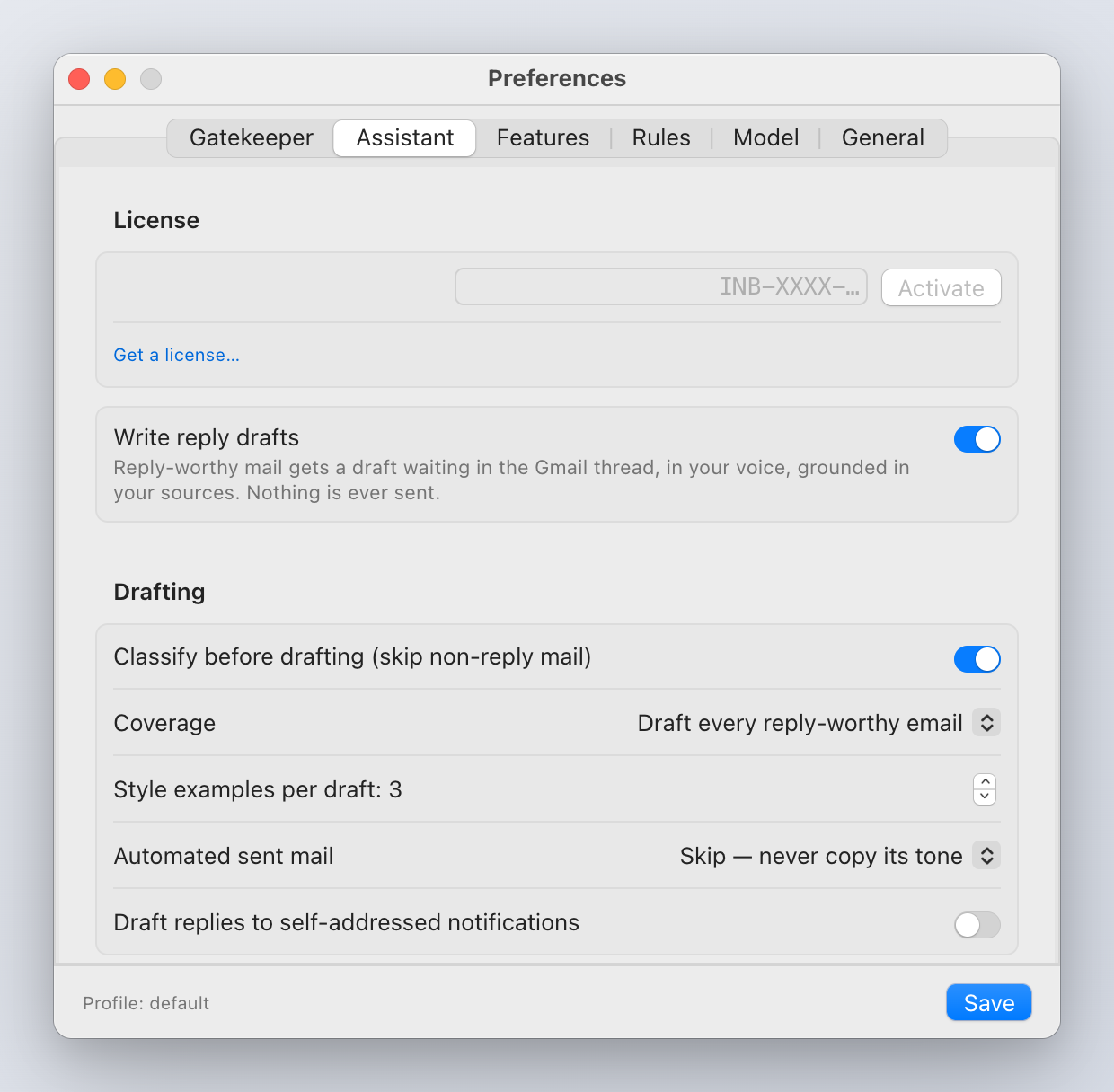
Key not arrived? It comes from Kelviq at your checkout address. Check spam for kelviq.com. New Mac? Deactivate on the old one, activate on the new. Old Mac gone? Email us and we release the key.
What to send support
Email hi@kelviq.com with:
- The app version (Finder, select InboxMinder in Applications, ⌘I) and your macOS version.
- What you saw and what you expected. A screenshot of the menu bar or the Preferences tab involved helps.
- The last hundred log lines:
tail -n 100 ~/.inboxminder/logs/watch.log | pbcopy
Never send an API key, a Google client secret or a license key in full. If we need to check one we will ask for its last four characters.