How a thread becomes due
Two ways, chosen by mode, and a thread is never nudged by both.
Label mode (default). You arm a thread yourself: reply, then add one of the follow-up labels in Gmail, from any client on any device. The interval comes from the label you picked:
| Label | Quiet days |
|---|---|
Follow up/3d | 3 |
Follow up/1w | 7 |
Follow up/2w | 14 |
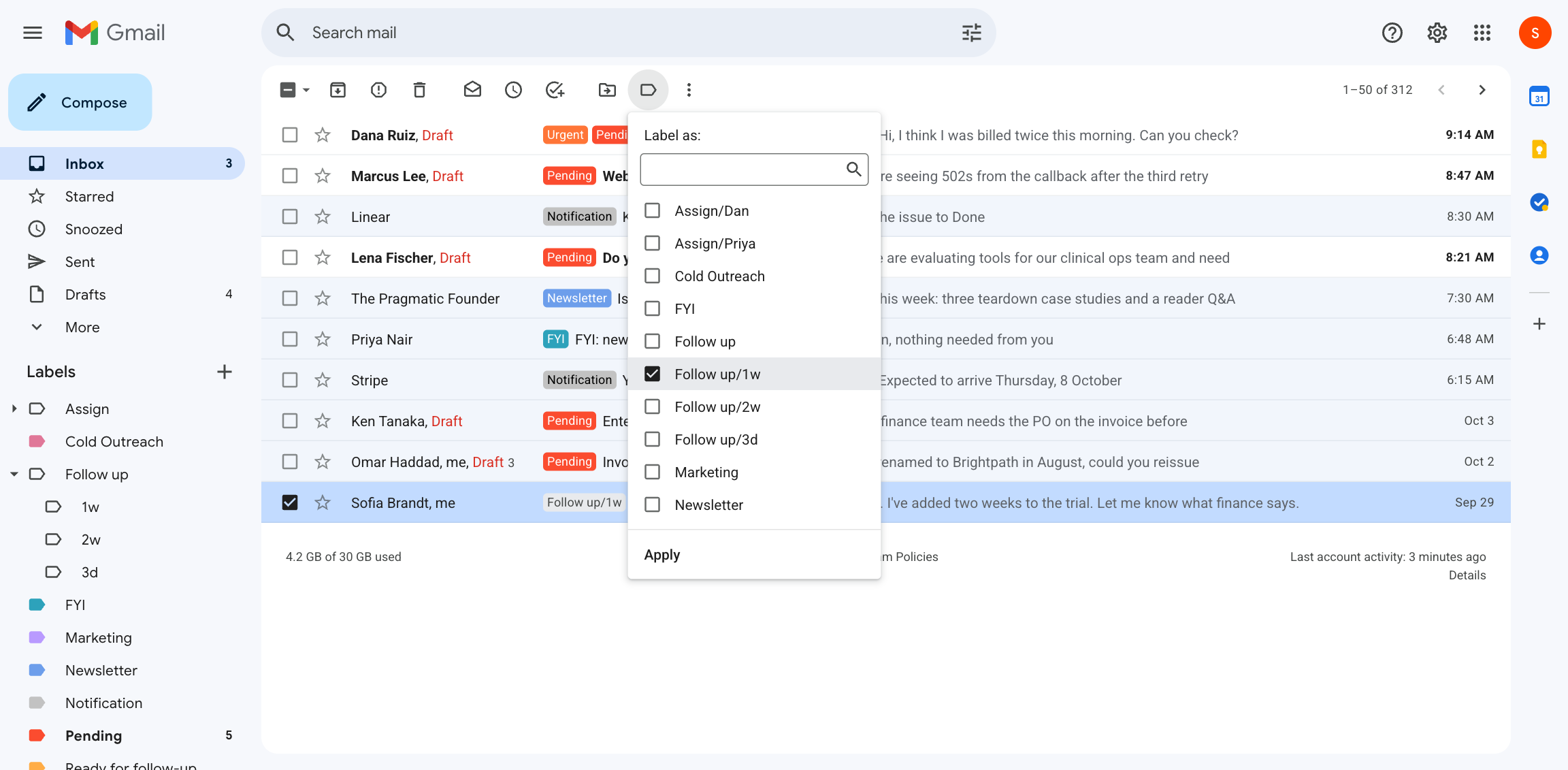
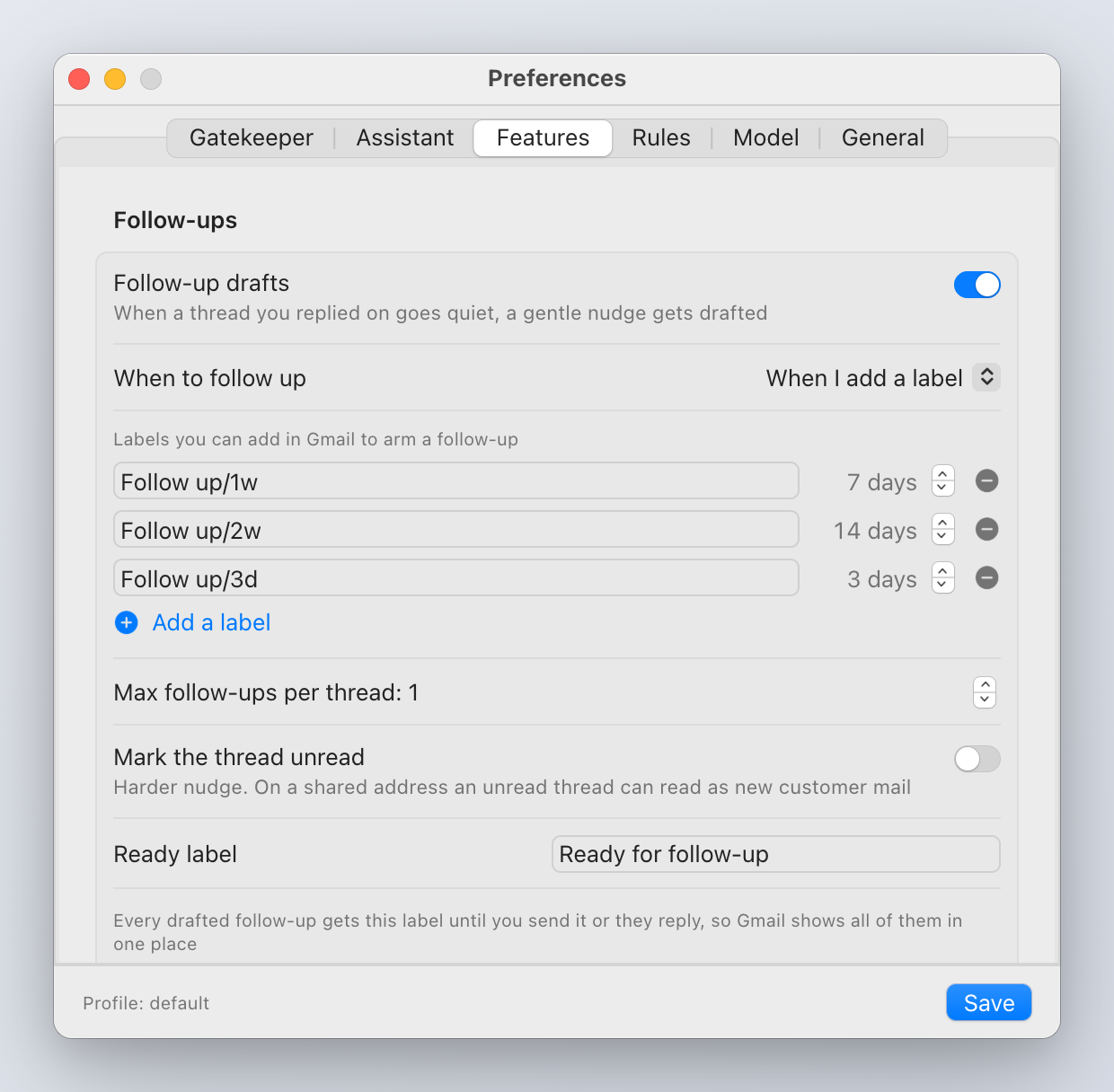
The labels are created for you on first run, nested under "Follow up" in Gmail's sidebar, so arming is one click in the label picker, and clicking a label is your "waiting on them" list. Rename them, change the days, or add your own ("Chase/1m" = 30) in the Preferences table or [followup.labels], up to eight.
Mapping a label you already use is safe: the first time a label is scanned, every thread already carrying it is recorded and left alone. Only threads you label from then on are armed.
Time mode. Every thread you reply to is nudged after intervalDays (default 4) of silence. No labels needed; noisier.
Both. Labels arm threads with their own interval; everything else follows the time rule.
What happens when it is due
- A judge decides whether a nudge is appropriate at all. It fails closed: when in doubt, nothing is drafted. A thread that already reads as resolved, ended with "thanks, got it", contains a hard no, a request to stop, or an out-of-office, gets no nudge.
- A follow-up draft is written into the thread, in your voice, so it shows in Drafts on every client.
- The thread gets the Ready for follow-up label (
readyLabel), so every nudge waiting for your review is one click in Gmail's sidebar. Pending goes back on. INBOX is re-added only if the thread had been archived. - A notification tells you.
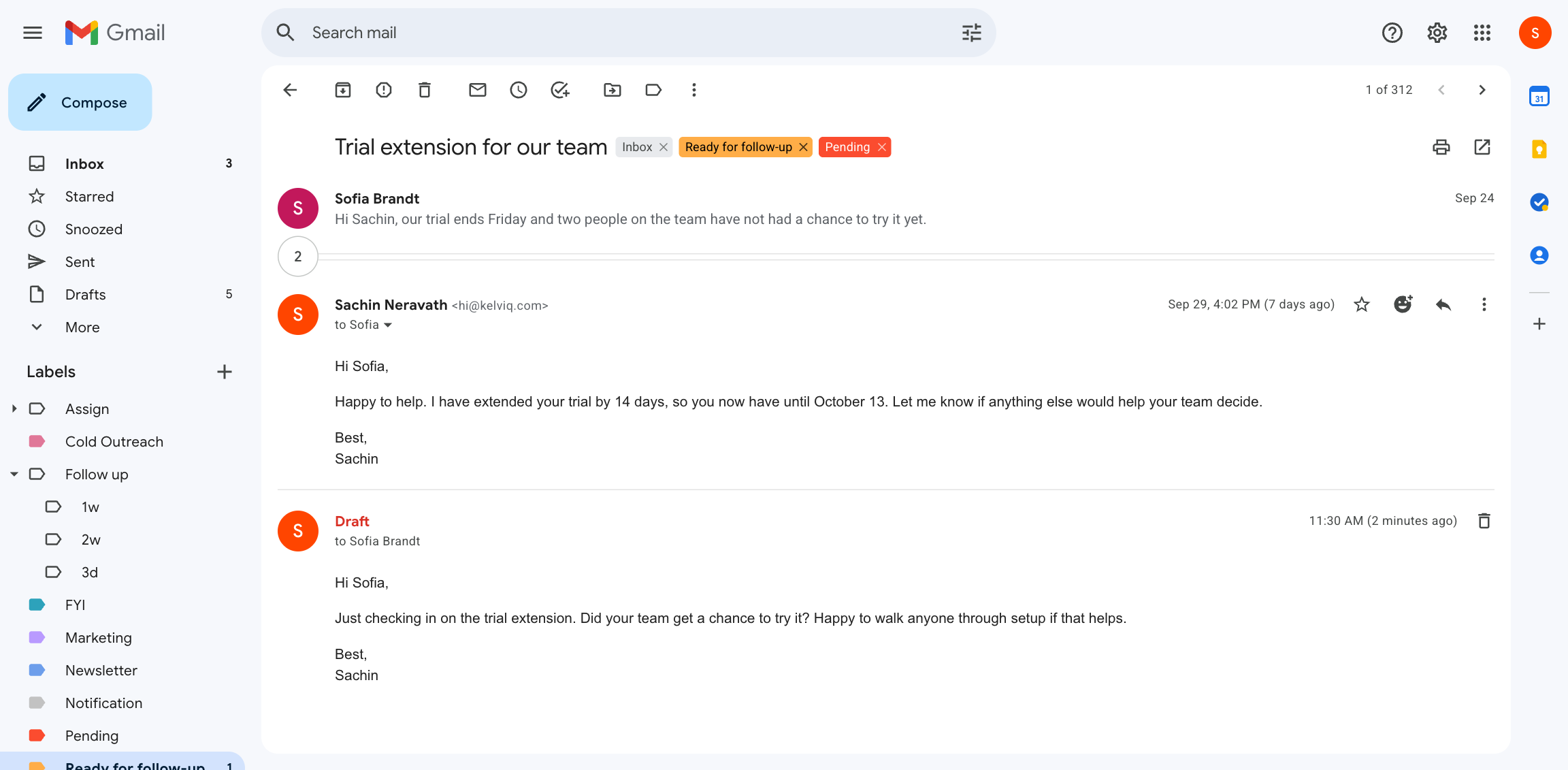
State is only ever added, never removed, so an archived thread resurfaces without disturbing one you kept in the inbox.
When the clock stops
- They reply. The pending nudge is cancelled and a stale draft is deleted. The ready label comes off.
- You send anything on the thread. Same.
- The draft is swept by retention. Same.
- A time-based nudge finds the other party already wrote last (for example through a filter that skipped the inbox). The clock clears.
A reply older than the nudge is not an answer to it: a mailbox restore or a replayed backlog never strips the label by mistake.
Options
| Setting | Default | Meaning |
|---|---|---|
maxFollowups | 1 | Nudges per thread. A label means "remind me once"; raise it for a cadence |
scanMinutes | 15 | How often the label scan runs |
markUnread | false | Mark the resurfaced thread unread so it rises in Gmail on every device. Off because on a shared support address an unread thread reads as new customer mail |
readyLabel | Ready for follow-up | The label every drafted nudge carries until it is sent, answered or swept |
Where to see them
The menu bar's Waiting on replies lists threads where you wrote last and they have been quiet for more than two days, with a dot when a nudge is already drafted. Each row opens the thread in Gmail.