Two ways to run it
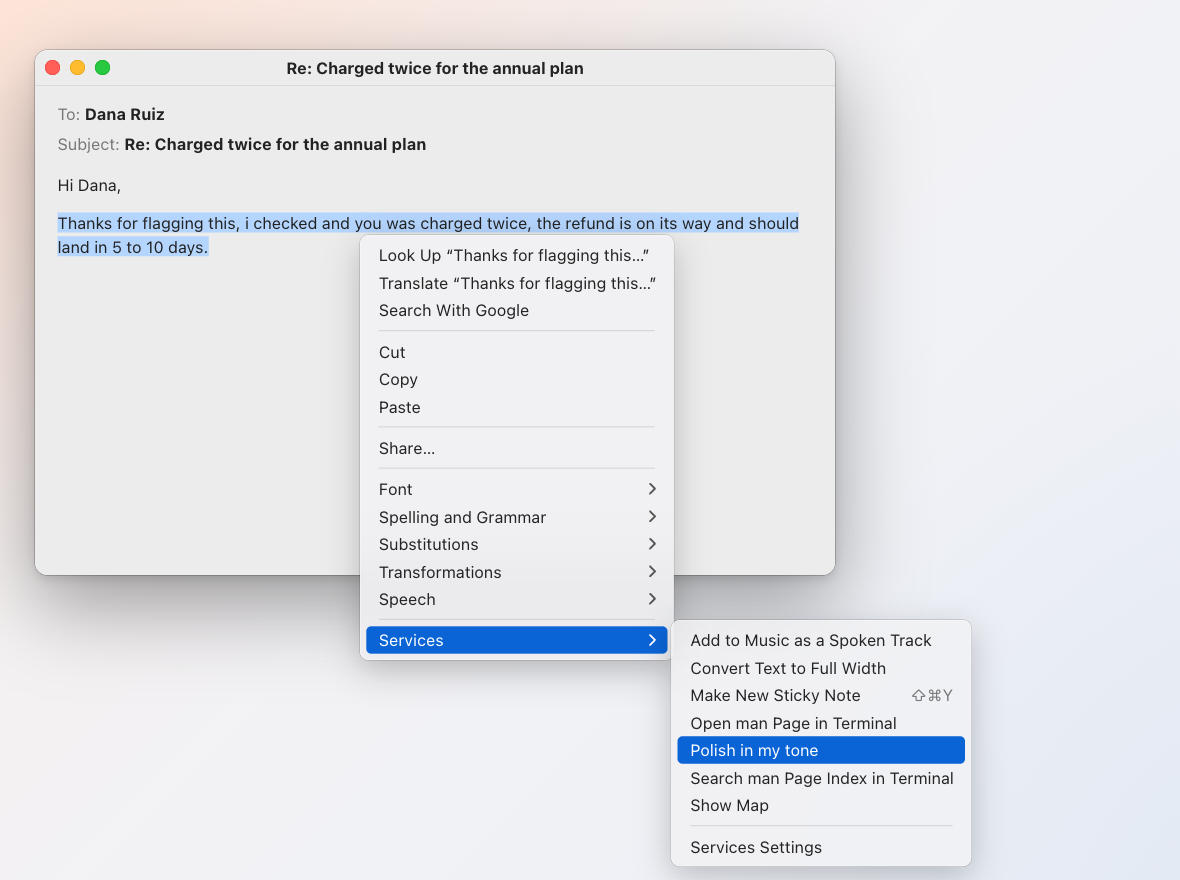
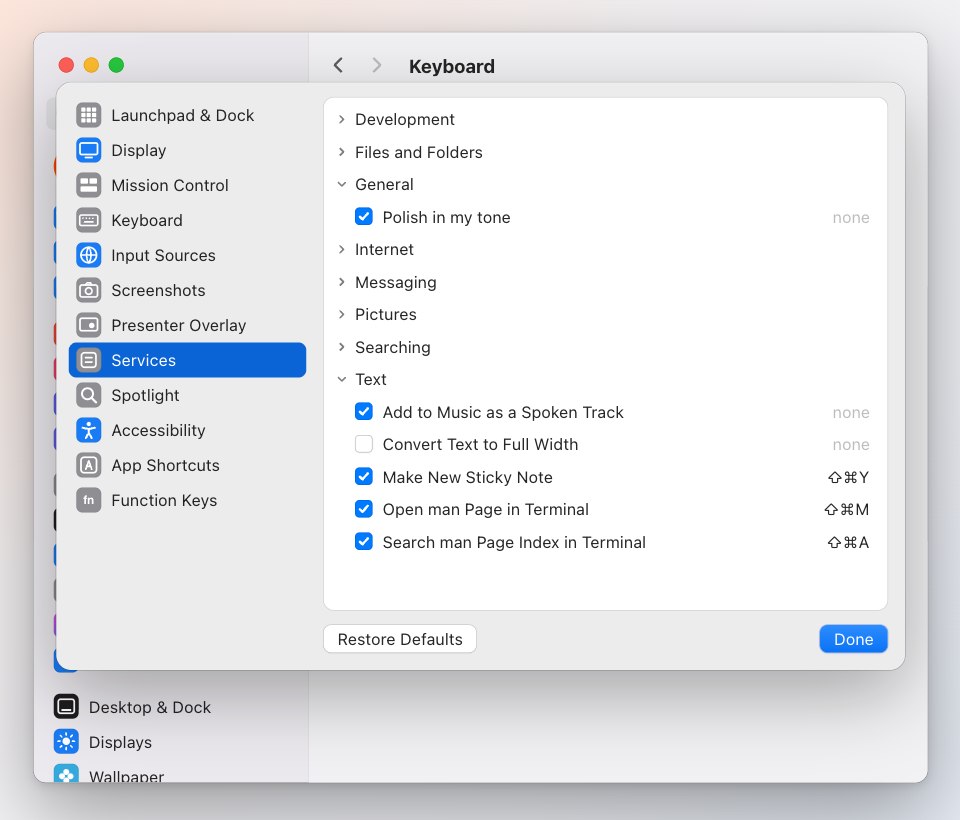
The Service. Select text in Gmail's compose box, Notes, Slack, a browser form, anywhere. Right-click, Services → Polish in my tone. The selection is replaced in place. Give it a keyboard shortcut in System Settings → Keyboard → Keyboard Shortcuts → Services → Text and it is one keystroke, so polishing again after a tweak costs nothing. macOS leaves a newly installed Service unticked there; the app ticks it for you the first time it runs and never overrides a choice you make later.
The clipboard. Some apps never list Services (Chrome in Gmail, for one). Copy the text (⌘C), press ⌃⌥P or choose Polish clipboard from the menu bar, wait for the balloon, paste (⌘V). It works in every app and needs no extra permissions.
From the terminal: pbpaste | inboxminder polish --stdin | pbcopy.
What it does, and refuses to do
It is a copy editor, not a writer: spelling, grammar, punctuation, and at the default strength clumsy sentences tightened the way you write, learned from your sent mail.
It never adds a fact, a number, a promise, a greeting or a sign-off you did not write. It never drops a link, a name, a question or a [TODO: …]. It never changes what you committed to.
Strength
Preferences → Assistant → Voice → Polish, or drafts.polish:
- Grammar, spelling and my tone (
tone, default): also tightens wording in your voice. - Grammar and spelling only (
light): the wording stays exactly as you put it.