What each label means
| Label | Meaning |
|---|---|
| Pending | Needs a reply from you. A draft is waiting in the thread (with a license). Goes back on when the other side writes again |
| Resolved | You marked the thread done. By default this is your act, in Gmail: swap Pending for Resolved. Resolve automatically when I reply flips it on your reply instead |
| Urgent | Reply-worthy and time-sensitive or blocking. Also a macOS notification carrying the subject only |
| Newsletter | Periodic publications you subscribed to |
| Notification | Automated mail from systems: receipts, alerts, calendar, CI |
| Marketing | Promotions and announcements from companies you have a relationship with |
| Cold Outreach | Unsolicited pitches from people you have never written to |
| FYI | Human mail that needs no reply |
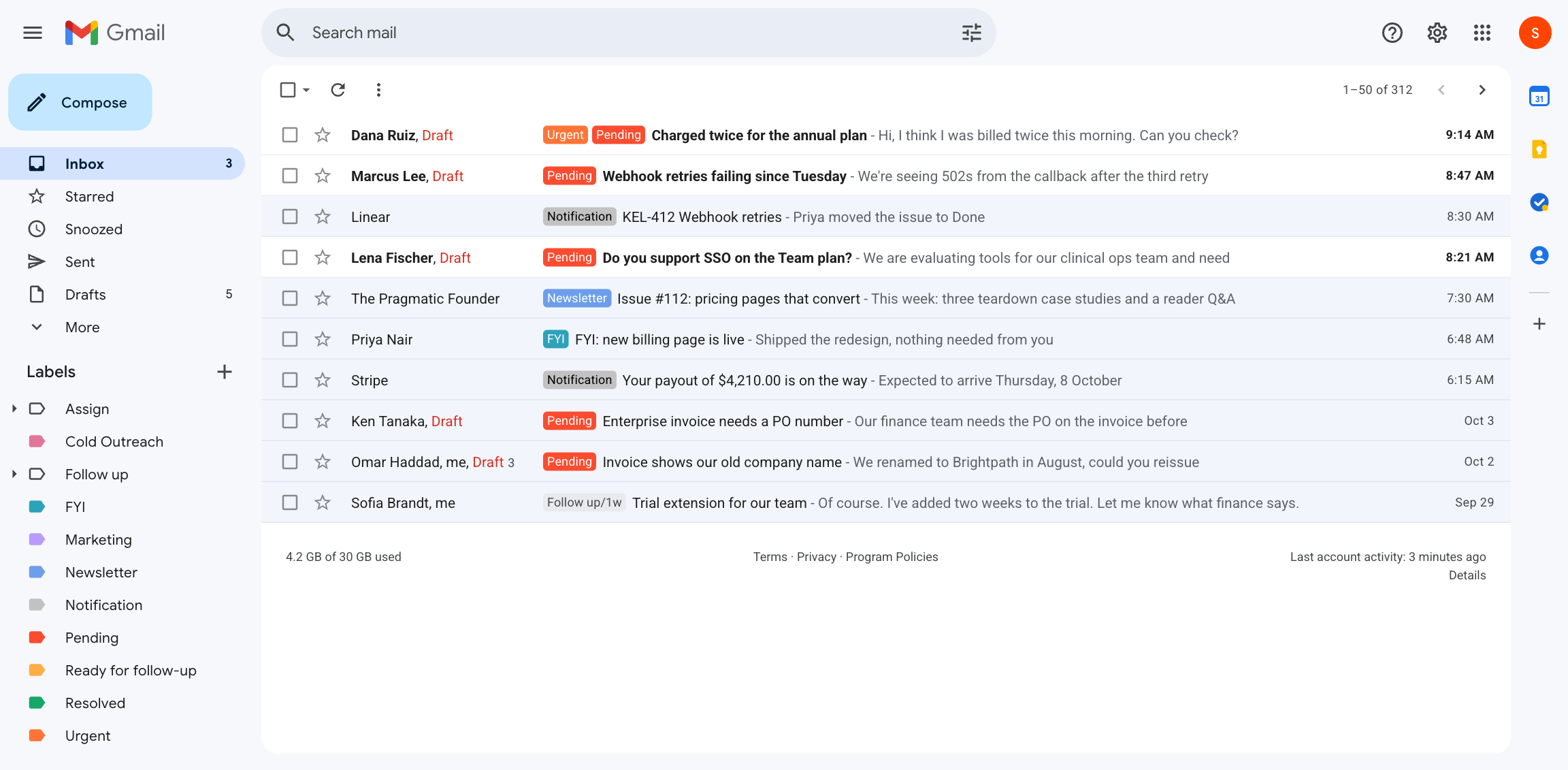
Labels are created on first use with sensible colors; a color you pick in Gmail is never overwritten. Rename any of them in Preferences → Gatekeeper → Label names or in [triage.labels] and [labels]. A "/" nests them (Mail/Newsletter). Gmail system label names (Important, Starred, …) are rejected, which is why urgent mail is Urgent.
Guards
- Anyone you have written to is never Cold Outreach. A local ledger of correspondents, built from your sent mail, plus conversation signals (a thread you are already in) guard it.
- Mail you already answered gets no draft. After the agent has been offline, it compares message times and skips anything you replied to from your phone in the meantime.
- The newest message owns the thread's state. A reopened conversation comes back to Pending.
- Replies go to Reply-To when the sender set one, not blindly to From, and are written from the alias the customer wrote to.
- Instructions inside an email are ignored. Email content is fenced as data in every prompt.
Skipping the inbox
Preferences → Gatekeeper → Skip the inbox, or triage.archive. For each chosen category the email is labeled and removed from INBOX in the same call. It is never deleted, never marked spam, and a live conversation (anyone you have written to, or a thread the app tracks) is labeled but kept in the inbox.
Urgent and notifications
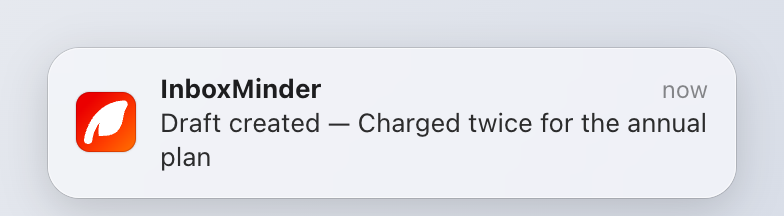
Urgent reply-worthy mail gets the Urgent label and a notification. The agent also notifies for a new draft, for a Gmail re-authorization, and when it gives up on a message after repeated provider failures. Notifications carry the subject and never the body. Turn them off in Preferences → General or email.notifications = false.
Cold outreach, tuned to you
What counts as warm? in Preferences (triage.coldOutreachHint) adds your own criteria to the classifier: "intros from our investors are warm", "anyone mentioning our open roles is a candidate, not outreach".
Skipping senders
email.skipSenders (Preferences → General → Skip senders) lists address fragments that are ignored entirely, with no classifier call: mailer-daemon, noreply@, a monitoring address. Matched on the address, never the display name.
Resolving
Replying is not the same as done, so by default Pending stays until you swap it for Resolved in Gmail. Clicking Pending in Gmail's sidebar is therefore your "open" list. If you would rather have the label flip on your reply, turn on Resolve automatically when I reply (labels.autoResolve).
Trying it first
inboxminder classify <gmail-message-id>
prints the verdict and labels nothing.
Without a license
Without an active license the app writes no drafts, follows up on nothing, hands nothing off and polishes nothing. Nothing is ever deleted, and activating a key picks up where it left off.